Your Leather Wallet is Officially Obsolete: 7 Game-Changing Apple Wallet Features You’re Probably Missing
When was the last time you actually opened your physical wallet? If you’re like me, it’s mostly just a graveyard for crumpled receipts, a library card you haven't used in years, and gym memberships you keep promising to cancel.
Apple is on a clear mission to kill that bulky brick in your back pocket once and for all. And honestly? They’re doing a pretty incredible job at it.
Apple Wallet isn’t just for quick grocery runs anymore. It’s becoming a digital vault for your entire life—from your front door keys to your actual government ID.
It's about moving toward a world where you can leave the house with nothing but your iPhone and still feel totally prepared. Your iPhone is officially becoming the only thing you need to grab before heading out the door.

Here’s the lowdown on everything new hitting your Wallet app right now that is making life a whole lot smoother.
1. Your Driver’s License is Finally Going Digital
This is the holy grail for anyone who hates fumbling through their pockets at the most inconvenient times. Imagine breezing through TSA at the airport without having to dig for that tiny piece of plastic while people behind you sigh impatiently.
Apple has been rolling out digital driver’s licenses state by state. Places like Arizona, Maryland, and Georgia are already on board, with more joining the list every month.
It’s a simple setup: just a quick scan of your card, a selfie for verification, and you’re set. It’s encrypted, secure, and—best of all—you only share what’s necessary.

If you’re at a bar, the bouncer sees your age, not your home address. It’s a massive win for privacy that a physical card just can't offer.
“The goal is simple: Apple wants your physical wallet to feel like a dusty relic from the 1900s.”
2. Event Tickets Finally Got a Brain
Have you ever felt totally lost trying to find your seat in a massive stadium while holding a drink in one hand and a phone in the other? iOS 18 is fixing that frustration for good with a massive ticket upgrade.
Now, when you add a ticket to your Wallet, it doesn't just show a boring barcode. It shows a full venue map—including the shortest line for nachos or the closest bathroom.
No more wandering aimlessly while the game starts. It even pulls in the local weather for the stadium and suggests a hype-up playlist for the drive over.

It’s basically like having a VIP concierge in your pocket for every concert or game you attend.
3. Your Car Keys Now Live on Your Wrist
Remember that heart-attack moment when you can’t find your keys at the bottom of a gym bag or a deep backpack? Those days are numbered.
Apple is working with major car brands like BMW, Hyundai, and Kia to put your keys where they belong: in your Wallet.
You don't even need to take your phone out of your pocket. As long as your iPhone or Apple Watch is on you, the door clicks open like magic as you approach.

The best part? You can text a “key” to a friend if they need to borrow your car. You control exactly when that digital key expires, so you don't have to worry about getting your physical keys back later.
4. Apple Pay Later is a Total Budgeting Lifehack
Let's be real: managing big purchases can sometimes feel like a debt trap. Apple Pay Later is a much more human way to handle your money.
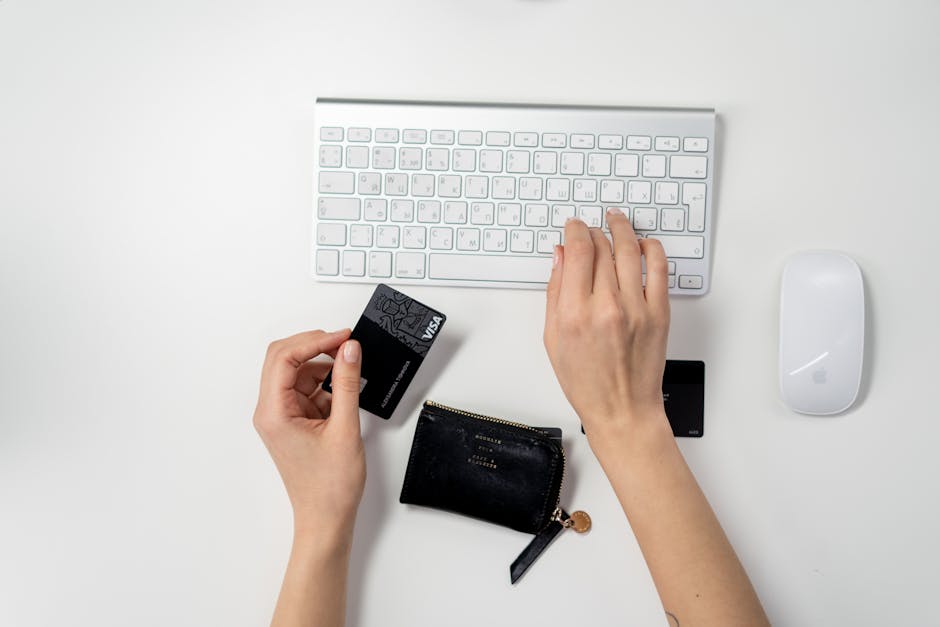
It lets you split costs into four interest-free chunks over six weeks. The Wallet app tracks the due dates clearly, so there are zero nasty surprises on your bank statement.
It’s way more transparent than a traditional credit card that hides fees in the fine print. Plus, receipts are finally readable.

No more “SQ *X-123-Z” mysteries that make you wonder if your identity was stolen. You get a clear map and a name of the shop where you actually spent your money.
- Real-time Tracking: See every penny as it leaves your account.
- Split the Bill: Interest-free payments for those big tech upgrades.
- Clean History: Searchable receipts that actually make sense to a human.
5. Unlocking Your Front Door with a Simple Tap
Smart locks are the new standard for home security, but Apple makes them feel seamless. You can add your “Home Key” right alongside your credit cards in the Wallet app.
Picture this: you're lugging a dozen grocery bags and it's starting to rain. Instead of dropping everything to find your keys, you just tap your watch against the door and click—you’re in.
With Express Mode, you don’t even have to wake up your screen or authenticate with FaceID. It feels like living in a sci-fi movie, minus the scary robots.
6. Hotel Check-ins Without the Awkward Lines
Hotel check-ins are usually a nightmare of long lines and plastic cards that stop working the second they touch your phone in your pocket. Apple is killing that vibe entirely.
Now, you can check in on the hotel's app and have your room key sent straight to your Apple Wallet before you even arrive. You can skip the front desk entirely and walk straight to your room.
Once you check out, the key simply vanishes from your phone. No more plastic cards to lose at the beach or forget in your luggage on the way home.
7. Say Goodbye to the Office Lanyard
The next frontier for Apple Wallet is the workplace. We’re already seeing office badges and student IDs going fully digital.
Imagine never needing to wear a plastic lanyard or dig for a badge to get into your building again. The goal here is zero friction.
You should be able to leave the house with just your phone and conquer the day without a second thought. Whether it's the subway, the office, or the gym, your iPhone is the only pass you need.
Is the Future Actually Safe?
A lot of people worry about putting their whole life on a phone. What if it dies? What if it gets stolen? Apple has thought of that.
Even if your iPhone battery dies, "Power Reserve" lets you use your keys and transit cards for several hours. And if you lose your phone? You can wipe your Wallet remotely in seconds.
The Bottom Line
Apple isn’t done yet. Rumors say transit cards for dozens of new cities are on the way. Pretty soon, your iPhone will be your official passport to the world.
So, is it time to finally retire that old leather wallet to a desk drawer? For most of us, that day is already here. It’s time to embrace the digital future and lighten the load in your pocket.
Make sure your iPhone is updated to the latest version of iOS so you can start using these features today. You’ll be shocked at how much easier your life gets when you stop carrying around a brick of plastic.
Comments
Post a Comment