Microsoft Just Admitted Your Antivirus is Broken: 3 Zero-Days are Trashing Windows
\n\nYou know that little shield icon sitting in your taskbar? It might be lying to you right now.
\nA massive security hole was just blown through Microsoft Defender, and millions of Windows users are sitting ducks.
Microsoft Defender is supposed to be the one thing keeping the internet’s trash away from your private files.
\nBut since April 10, that shield hasn't just been cracked—it’s been completely bypassed by hackers.

There are three major \"zero-day\" vulnerabilities being exploited right now.
\nThe worst part? Microsoft has only managed to fix one of them, leaving two wide open for anyone to walk through.
\n \"Hackers found a secret back door into your PC before the engineers even knew the door existed. That is the definition of a nightmare.\"\n\n\n
A Digital House Fire with No Water
\n\nThe term \"zero-day\" sounds like a cool spy movie title, but the reality is much uglier.
\nIt means the bad guys have a head start, and the people who built your computer are scrambling to catch up.

Usually, Microsoft patches these things in a heartbeat. This time, they’re struggling.
\nWe are days into this crisis, and two of these holes are still gaping open. It’s like leaving your front door unlocked in a bad neighborhood and just hoping for the best.
The Key to the Castle: Privilege Escalation
\n\nYou’re probably thinking, \"Okay, so there's a bug. What’s the big deal?\"
\nThe deal is something called \"privilege escalation,\" and it’s every IT professional’s worst fear.
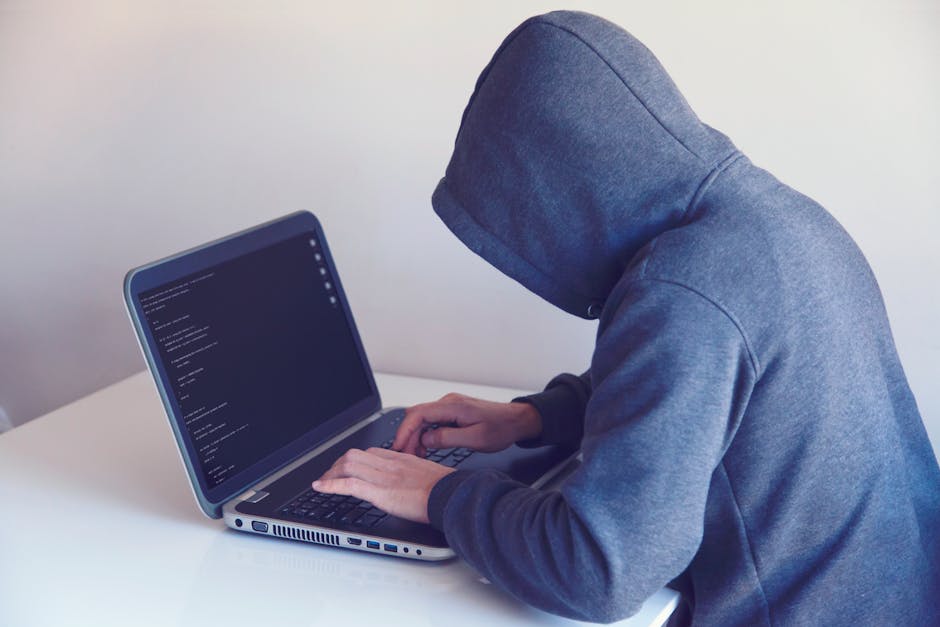
Think of it like this: a stranger walks into a bank. Normally, they can’t get past the lobby.
\nWith this exploit, that stranger suddenly has the keys to the vault and the manager's password. They can see everything and delete whatever they want.
Hackers aren't just peeking at your files; they are taking full control of entire systems.
\n\nTotal System Meltdown
\n\nThe second part of this attack is a \"Denial of Service,\" or DoS. This basically turns your expensive computer into a very heavy paperweight.

Hackers can force your system to crash, freeze, or reboot in an endless loop.
\n\nFor you, it means losing your work or your photos. For a hospital or a power grid, it’s a life-or-death catastrophe.

When the software meant to protect you becomes the tool used to crash you, the irony is pretty bitter.
\n\n\n \"IT teams are currently pulling plugs and isolating servers just to stop the bleeding. It’s a digital quarantine.\"\n\n\n
The Current Scorecard
\n\nThis isn't just a theory; it's happening in the wild as you read this.
The hackers seem to have timed this perfectly, hitting a weakness in how Defender handles its own security updates.
\n\n- \n
- Zero-Day #1: Patched, but only after thousands of people were already compromised. \n
- Zero-Day #2: Still unpatched and being actively traded in hacker forums. \n
- Zero-Day #3: Still unpatched and causing global system crashes. \n
Is Your PC Safe? (The Honest Answer)
\n\nIf you use Windows, the honest answer is: maybe not.

Because Microsoft Defender is baked into almost every PC on earth, this isn't just a corporate problem. It's everyone's problem.
\n\nThe hackers aren't being picky. They’re casting a massive net and waiting to see who they can catch.
\n\nDo This Right Now to Protect Yourself
\n\nDon't wait for your computer to tell you there’s an update. Go look for it.
\nOpen your settings and manually check for Windows Updates every few hours until Microsoft confirms the fix.
\n\nMost importantly, be paranoid. If an email looks even slightly weird, or a link feels off, delete it immediately.
\n\n- \n
- Manual Update: Go to Settings > Windows Update and click 'Check for updates' now. \n
- Backup Everything: Put your important files on an external drive or cloud storage today. \n
- Watch the News: Stay tuned for the official 'All Clear' from Microsoft. \n
This is a brutal reminder that we’re only as safe as our software. Stay sharp and stay updated.
", "labels": "Microsoft, Windows, Security, CyberSecurity, ZeroDay, MicrosoftDefender, TechNews, Trending" }
Comments
Post a Comment